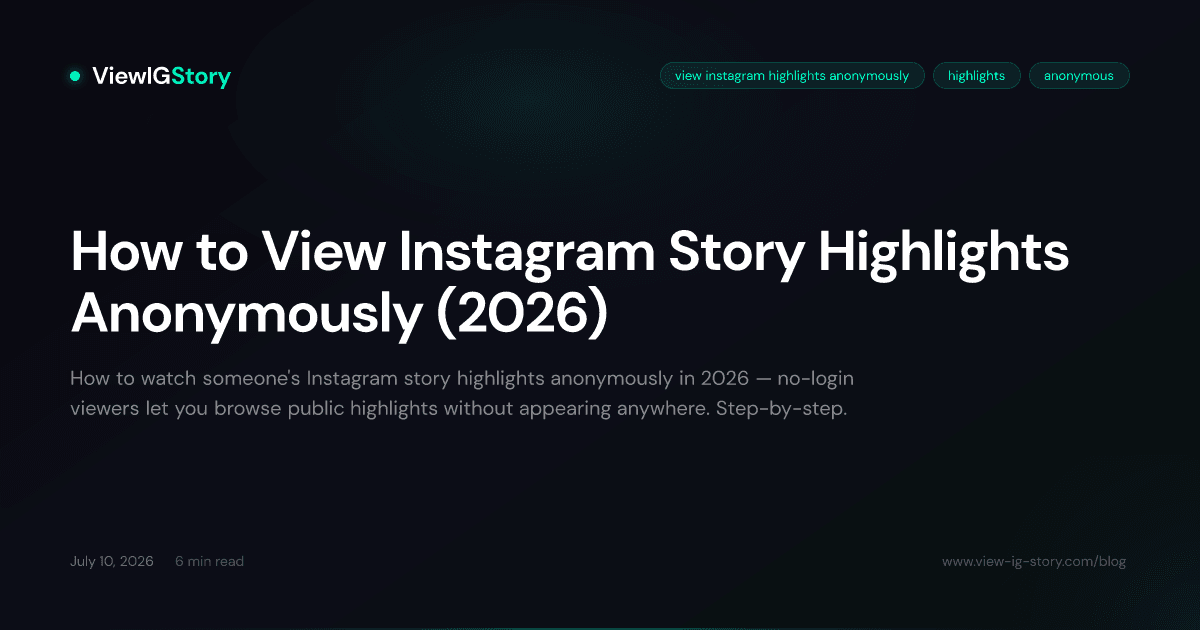
How to View Instagram Highlights Without Them Knowing
Want to view Instagram Highlights anonymously? Learn the difference between stories and highlights, and discover methods to browse them privately in 2026.
Instagram Highlights sit right below someone’s bio, organized into neat little circles. Unlike regular stories that vanish after 24 hours, highlights stick around indefinitely — which makes them a goldmine of curated content. But here is the problem: just like stories, viewing a highlight can notify the account owner that you were watching.
If you want to view Instagram Highlights without them knowing, this guide walks you through everything — what actually triggers notifications, which methods genuinely keep you anonymous, and where the limitations are.
Instagram Highlights vs. Stories: What is the Difference?
Before we get into the anonymous viewing methods, it helps to understand how highlights and stories relate to each other. They are not the same thing, but they share DNA.
Instagram Stories
- Disappear after 24 hours
- Appear at the top of the feed in the stories bar
- The account owner can see exactly who viewed each story
- Can contain photos, videos, polls, questions, links, and more
Instagram Highlights
- Permanent (until the account owner removes them)
- Displayed on the profile page below the bio
- Grouped into named collections with custom cover images
- Made up of past stories that the owner selected to keep
The key thing to understand is this: highlights are just stories that have been saved. They were originally posted as ephemeral stories, and the account owner chose to pin them to their profile. The underlying content is identical.
Do Highlights Show Who Viewed Them?
This is where it gets nuanced, and misinformation runs rampant online.
Here is the current reality in 2026:
- When a highlight is first created from a story that is still active (less than 24 hours old), the original story’s viewer list carries over. If you view that highlight within the first 24 hours of the original story being posted, the owner may see your name.
- After 48 hours, Instagram stops showing the viewer list for highlights entirely. The owner can see the total view count but not individual usernames.
- However, Instagram has changed this behavior multiple times over the years, and the exact rules can vary by account type (personal vs. business vs. creator).
The bottom line: If you want to be absolutely certain that someone does not know you viewed their highlights, you need a method that keeps you completely off Instagram’s radar.
Why People Want to View Highlights Anonymously
There is no shame in wanting privacy while browsing public content. Here are the most common reasons people look for anonymous highlight viewing:
Professional Research
Marketers, social media managers, and brand strategists regularly study competitor profiles. Viewing their highlights — which often showcase products, services, testimonials, and promotions — is a standard part of competitive analysis. But you probably do not want competitors knowing you are studying their playbook.
Personal Curiosity
Maybe you want to check an old friend’s profile, look at someone’s highlights before deciding whether to follow them, or browse content from someone in your social circle without creating any social signal. That is entirely reasonable.
Avoiding Social Awkwardness
We have all been there. You do not want someone to get a notification that you watched all 47 slides of their vacation highlights at 2 AM. Anonymous viewing removes that concern entirely.
Content Inspiration
Creators and designers browse highlights from accounts they admire to gather ideas for their own content. Doing this anonymously means you can research freely without signaling your interest.
Method 1: Web-Based Instagram Viewers
The most reliable way to view Instagram Highlights anonymously is through a web-based viewer that does not require you to log in with your Instagram account. Since you never authenticate with Instagram, there is no account identity to associate with the view.
Using ViewIGStory
ViewIGStory is designed primarily for viewing Instagram Stories anonymously, and the same principle applies to highlights on public accounts.
- Open your browser and go to view-ig-story.com.
- Type in the username of the public account you want to check.
- Browse their available stories and highlight content.
- View or download anything you find — completely anonymously.
Because ViewIGStory fetches content without using your personal Instagram credentials, the account owner has absolutely no way to know you were there. No login means no viewer identity.
Ready to view Instagram stories anonymously?
No account needed. No trace left. Works on all public profiles.
Try ViewIGStoryPros
- Truly anonymous — no Instagram login required
- Works on any device with a web browser
- Can also download content if needed (see our guide on downloading Instagram Stories)
- Free to use every day, with affordable unlimited access at $1.99 for 24 hours when you need more
Cons
- Only works for public accounts
- Highlight availability depends on how Instagram’s public data is structured
Why This Method Works
When you view a highlight through Instagram’s app or website while logged in, Instagram records your user ID against that content’s view log. A web-based viewer bypasses this entirely — it accesses the publicly available content without any authenticated session tied to your account.
Method 2: Browsing Without an Account
You can view some Instagram content without being logged in at all by navigating directly to a profile URL.
How to Do It
- Open a browser (desktop works best for this).
- Make sure you are logged out of Instagram, or use a private/incognito window.
- Go to
instagram.com/username(replace “username” with the account you want to view). - You may be able to see their profile, posts, and potentially some highlight content.
The Reality
Instagram has progressively locked down what unauthenticated visitors can see. As of 2026:
- You will almost certainly hit a login wall after viewing a few posts
- Story and highlight content is typically gated behind authentication
- Instagram aggressively redirects unauthenticated users to the login/signup page
This method is unreliable and frustrating. It might work briefly, but Instagram clearly wants you logged in.
Pros
- No tools or apps needed
- Free
Cons
- Instagram’s login walls make this impractical
- Very limited content access
- Annoying pop-ups pushing you to sign up
- Not a sustainable method for regular use
Method 3: Creating a Secondary Account
Some people create a separate Instagram account — sometimes called a “finsta” or burner account — specifically for anonymous browsing.
How to Set It Up
- Create a new email address (or use an email alias).
- Sign up for a new Instagram account using that email.
- Do not use your real name, photo, or any identifying information.
- Do not follow accounts that could link back to your real identity.
- Use this account to view highlights and stories.
Pros
- You can view anything a public account shares, including highlights
- Also works for sending follow requests to private accounts (though that defeats the anonymity)
- Full Instagram functionality
Cons
- Not truly anonymous — Instagram can link accounts through device fingerprinting, IP addresses, and phone numbers
- Time-consuming to set up and maintain
- Violates Instagram’s Terms of Service (creating accounts under false pretenses)
- If the person is savvy, a blank profile with no posts viewing their highlights looks suspicious
- You still appear in the viewer list — just under a different name
Our Take
A secondary account gives you pseudonymity, not anonymity. The account owner will still see that someone viewed their highlights — they just will not know it is you specifically. And Instagram’s algorithms are increasingly good at connecting related accounts. For genuine anonymity, a web-based viewer is more reliable.
Method 4: Airplane Mode Trick
This is an old trick that used to work more reliably than it does now.
How It Is Supposed to Work
- Open Instagram and let the app load the stories/highlights for accounts you follow.
- Turn on Airplane Mode (cutting off all internet).
- View the stories or highlights that were already cached.
- Close the Instagram app completely (force close, do not just minimize).
- Turn Airplane Mode off.
The theory is that since your phone was offline when you viewed the content, Instagram never received the “viewed” signal.
The Reality in 2026
Instagram has largely patched this approach. The app now:
- Queues view events and sends them when connectivity resumes
- Pre-loads less content than it used to, making the cache less useful
- Syncs viewer data retroactively in many cases
Some users report partial success with this method, but it is unreliable. You might avoid the viewer list sometimes, but not consistently.
Pros
- No extra tools needed
- Free
Cons
- Unreliable — Instagram has patched most of the loopholes
- Only works for content that was already cached
- Requires precise timing and force-closing the app
- Cannot view highlights from accounts you do not follow
Understanding the Limitations
No matter which method you choose, there are some hard limitations to be aware of.
Private Accounts Are Off-Limits
Every anonymous viewing method only works for public accounts. If someone’s account is set to private, their stories and highlights are only visible to approved followers. There is no legitimate way around this, and any tool claiming otherwise is either lying or using methods that violate the law.
This is by design. When someone sets their account to private, they are explicitly choosing to limit their audience. Respecting that boundary is both ethical and legal.
Content Availability
Not all highlights may be available through web-based viewers. Some factors that affect availability:
- How recently the highlight was updated — very new or very old highlights may not always be accessible
- Media type — some interactive elements (polls, quizzes, links) may not render outside the Instagram app
- Account type — business and creator accounts sometimes have different content delivery
Instagram Changes Constantly
Instagram updates its platform regularly, and each update can affect how anonymous viewing works. Methods that are reliable today might stop working tomorrow, and vice versa. Web-based viewers like ViewIGStory actively maintain their tools to keep up with these changes, which is one advantage over DIY methods.
Highlights Viewing Etiquette
Anonymous viewing is a tool. Like any tool, it can be used well or poorly.
Perfectly Fine
- Researching competitors or industry trends
- Browsing public content for inspiration
- Checking someone’s profile before deciding to follow
- Satisfying casual curiosity about public figures and brands
Not Okay
- Monitoring someone who has blocked you
- Stalking or harassment of any kind
- Downloading and reposting content without credit (learn about proper reposting etiquette)
- Using viewed content to manipulate or deceive someone
The golden rule: if you would not be comfortable explaining why you are viewing someone’s content, reconsider whether you should be viewing it.
Frequently Asked Questions
Can someone see if you view their Instagram Highlights in 2026?
For highlights older than 48 hours, Instagram typically does not show individual viewer names — only total view counts. However, this behavior has changed multiple times and varies by account type. For guaranteed anonymity, use a web-based viewer that does not require your Instagram login.
Do Instagram Highlights show views like stories do?
Highlights show a view count to the account owner, but the individual viewer list behavior differs from regular stories. After the initial 48-hour window, the detailed viewer list usually disappears, leaving only aggregate counts.
Can you view highlights of someone who blocked you?
No — not through Instagram directly. If someone has blocked you, their profile is invisible to your account. However, since web-based viewers do not use your Instagram account, they can access public profiles regardless of whether that account has blocked you. That said, if someone blocked you, there is usually a good reason. Consider whether viewing their content is appropriate.
Is it illegal to view Instagram Highlights anonymously?
No. Viewing publicly available content is not illegal. The content is public by the account owner’s choice. Anonymous viewing simply means you are not identifying yourself while looking at content that is available to anyone.
Do business accounts show more viewer information for highlights?
Business and creator accounts have access to more detailed analytics, including demographic breakdowns of their audience. However, this data is aggregated — they can see age ranges, locations, and active times, but not identify anonymous viewers from web-based tools.
The Best Approach for Anonymous Highlight Viewing
If you regularly want to view Instagram Highlights without being detected, a web-based viewer is the most reliable and practical option. It does not require you to maintain a fake account, does not depend on unreliable tricks like airplane mode, and genuinely keeps your identity private.
ViewIGStory makes this straightforward — enter a username, browse their content, and move on. No login, no trace, no awkwardness. And if you also want to save what you find, it handles downloading stories just as smoothly.
For a broader look at why anonymous story viewing has become so popular, you might also enjoy our content on how tools like ViewIGStory fit into the Instagram ecosystem. The same principles that make anonymous story viewing work also apply to highlights — because at the end of the day, highlights are just stories with a longer shelf life.
Ready to view Instagram stories anonymously?
No account needed. No trace left. Works on all public profiles.
Try ViewIGStory